> ## Documentation Index
> Fetch the complete documentation index at: https://developer.plugsurfing.com/llms.txt
> Use this file to discover all available pages before exploring further.
# Drive API: Build a driver app
As more companies electrify their business, the driver experience becomes a critical success factor. Drivers expect charging to be as seamless as navigation or payments—fully integrated into the apps they already use.With Drive API, companies can build their own driver app and embed a reliable, pan-European EV charging network directly into their user experience.
 ## **Integrate a trusted managed charging network**
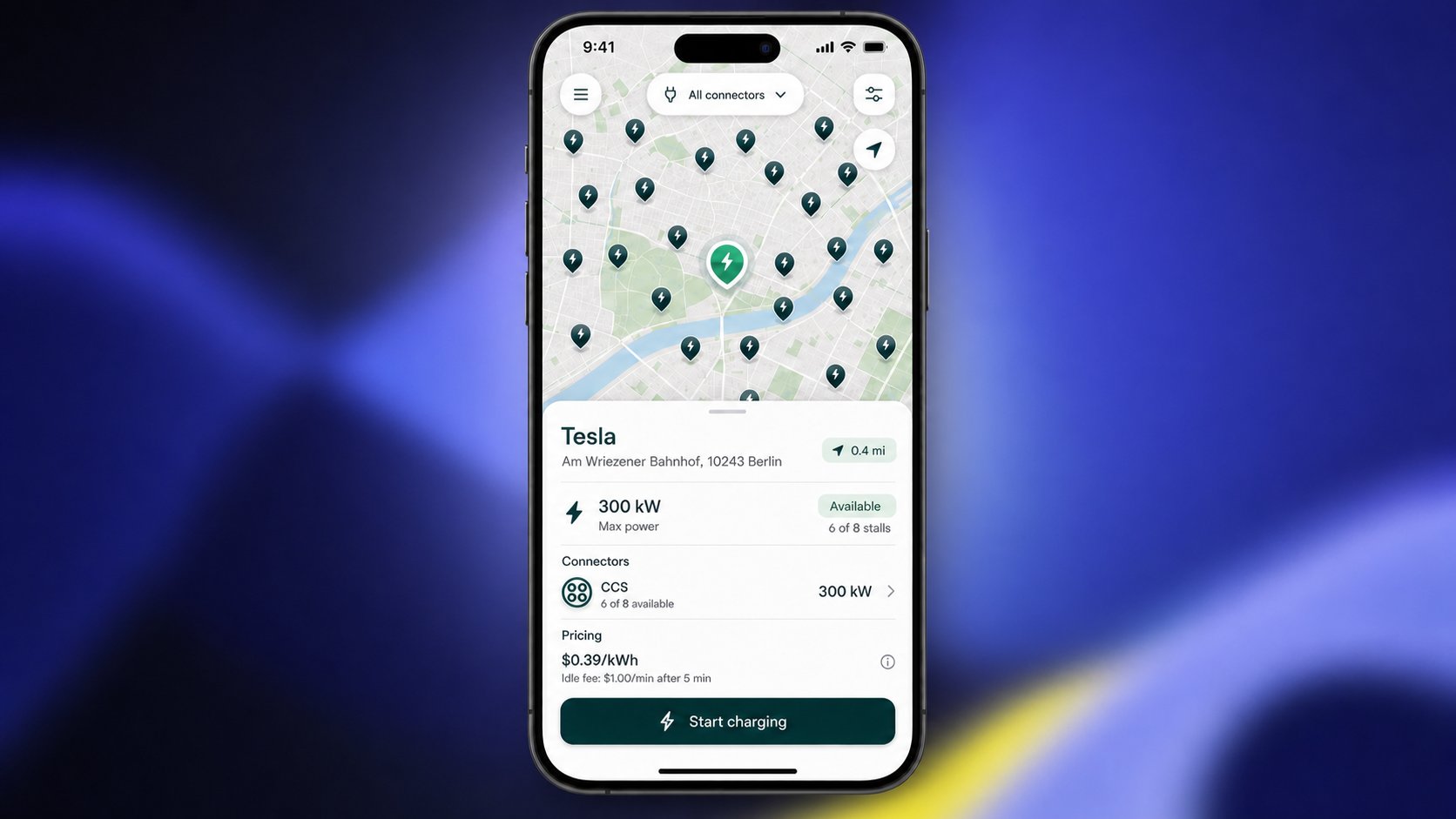
At the core of any driver app with charging functionality is access to a high-quality, dependable charging network. Drive API provides access to Plugsurfing’s extensive EV charging network across Europe. This allows you to:
* Display charging locations on a map
* Filter by relevant criteria (e.g., connector type, power, availability)
* Show pricing and key location details
Instead of building relationships with multiple charging operators, you integrate once via Drive API and offer your users a broad and reliable network from day one.[****](https://api.corpay.com/build-a-driver-app#access-both-static-and-real-time-data)
### Access both static and real-time data
A strong charging experience depends on high-quality data. Drive API provides access to both static and dynamic charging station information.Static data includes details such as station location, connector types, and maximum charging power. This forms the foundation for displaying a comprehensive and reliable charging network within your app. In addition, dynamic data—such as the real-time availability of individual connectors—can also be accessed. This enables your app to go beyond simply showing where charging stations are located. Drivers can see whether a specific connector is currently available, helping them make better decisions and reducing uncertainty on the road. Together, static and real-time data create a more transparent, dependable, and user-friendly charging experience.
### **Start charging: With a card, in-app, or Plug\&Charge**
A great driver experience means flexibility. With Drive API, drivers can:
* Start charging sessions using a physical charging card
* Start charging sessions directly in the app
Most drivers prefer using a physical charging card—it’s familiar, simple, and highly reliable. At the same time, the app can also be used to start charging sessions directly, offering additional flexibility and convenience whenever needed. Charging becomes a natural part of the app—whether that app is a fleet management tool, a vehicle companion app, or a mobility platform.[****](https://api.corpay.com/build-a-driver-app#empower-drivers-to-act-autonomously)
This documentation is built and hosted on [Mintlify](https://mintlify.com), a developer documentation platform.
## **Integrate a trusted managed charging network**
At the core of any driver app with charging functionality is access to a high-quality, dependable charging network. Drive API provides access to Plugsurfing’s extensive EV charging network across Europe. This allows you to:
* Display charging locations on a map
* Filter by relevant criteria (e.g., connector type, power, availability)
* Show pricing and key location details
Instead of building relationships with multiple charging operators, you integrate once via Drive API and offer your users a broad and reliable network from day one.[****](https://api.corpay.com/build-a-driver-app#access-both-static-and-real-time-data)
### Access both static and real-time data
A strong charging experience depends on high-quality data. Drive API provides access to both static and dynamic charging station information.Static data includes details such as station location, connector types, and maximum charging power. This forms the foundation for displaying a comprehensive and reliable charging network within your app. In addition, dynamic data—such as the real-time availability of individual connectors—can also be accessed. This enables your app to go beyond simply showing where charging stations are located. Drivers can see whether a specific connector is currently available, helping them make better decisions and reducing uncertainty on the road. Together, static and real-time data create a more transparent, dependable, and user-friendly charging experience.
### **Start charging: With a card, in-app, or Plug\&Charge**
A great driver experience means flexibility. With Drive API, drivers can:
* Start charging sessions using a physical charging card
* Start charging sessions directly in the app
Most drivers prefer using a physical charging card—it’s familiar, simple, and highly reliable. At the same time, the app can also be used to start charging sessions directly, offering additional flexibility and convenience whenever needed. Charging becomes a natural part of the app—whether that app is a fleet management tool, a vehicle companion app, or a mobility platform.[****](https://api.corpay.com/build-a-driver-app#empower-drivers-to-act-autonomously)
This documentation is built and hosted on [Mintlify](https://mintlify.com), a developer documentation platform.